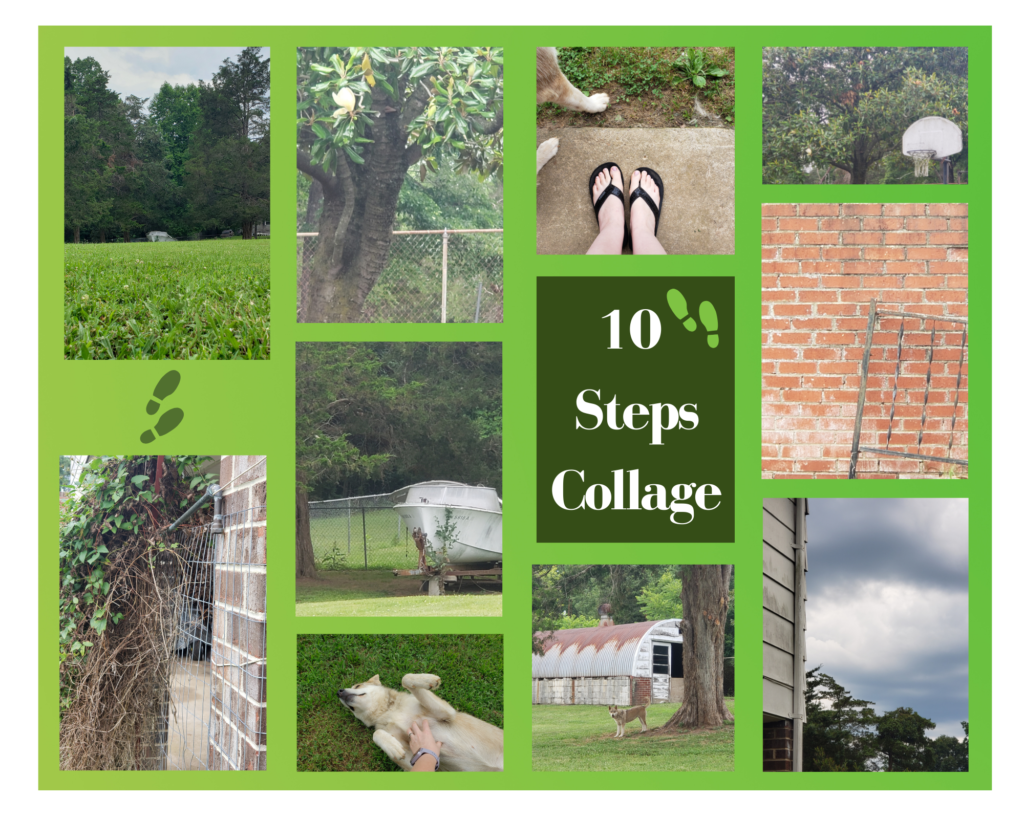
10-Step Photo Challenge
For this visual assignment, the assignment was to walk around and take a photo every 10 steps. I decided to see what unique pictures I could take in my backyard in 10 steps. I started out on the cement pad and then took 10 steps straight out into the yard.
I knew this would not only challenge me to look around but also try to find those different angles or different perspectives that I might not see at first glance. I spent more time finding the right subject for my pictures (except the ones with my dog – which happened “in the moment” on my step journey) than I did snapping the photos, but this helped me to be picker, broaden my vision, and take a look closer at the details.
My tutorial will be on making a collage with the photos that I took using Canva
- Log into Canva (if you don’t have a log in, you can sign up for free for the first 30 days)
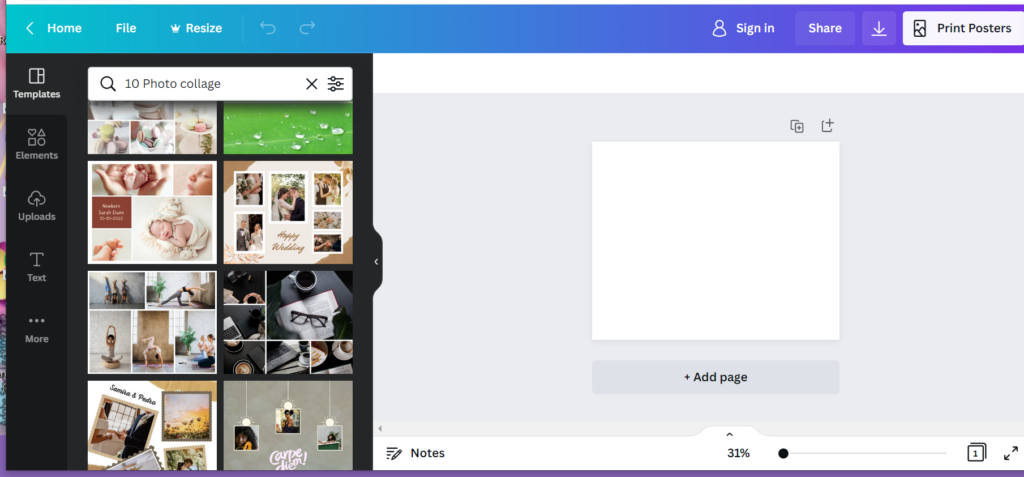
- In the search bar at the top, type in Photo Collage and hit enter
- This will bring up all the templates on the left side of the screen and your edit area on the right side of the screen
- Scroll down through the templates and select the one that best fits the style and number of photos (if the template has a crown in the upper right corner that means it is the “pro” series and you have to pay extra to use those templates)
- Click on the template that you want to work with and it will appear in your edit area
- On the left side, menu select uploads and add your photos to the images tab
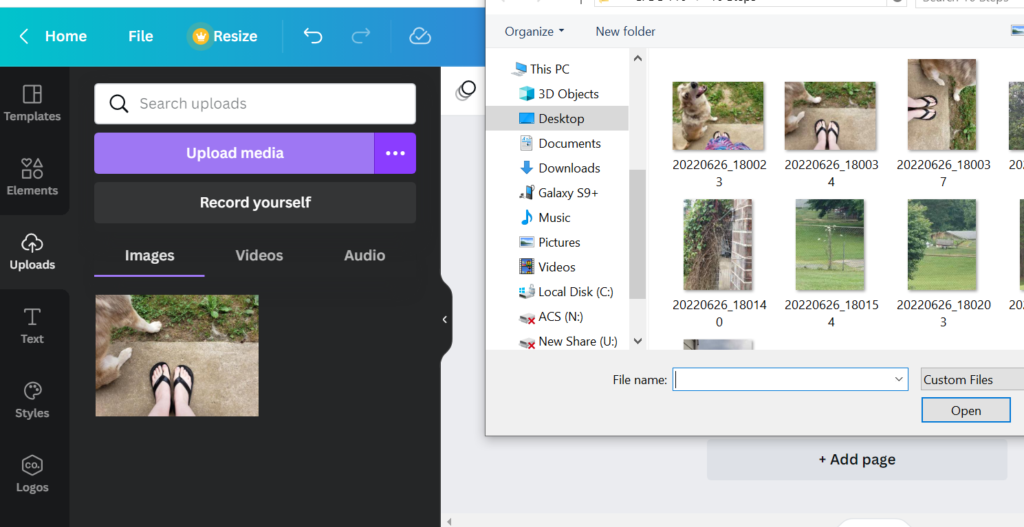
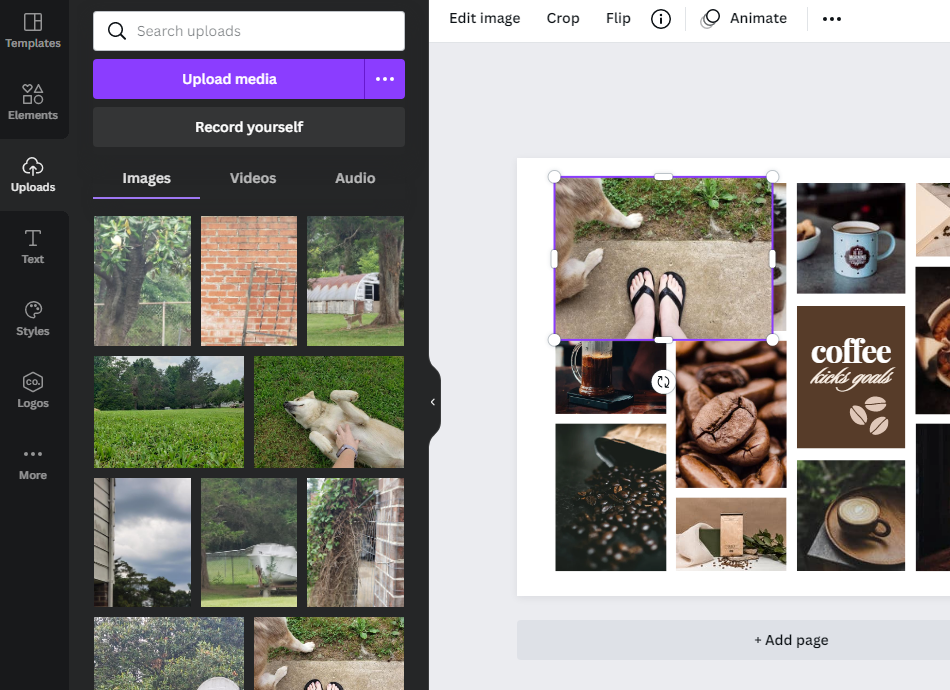
- Drag and drop the photos overtop the other photos and it will replace the photo in the template or you can rearrange and resize the photos if something isn’t looking good side by side using the white circles or lines around the photo after selecting it
- If the photo isn’t showing exactly what you want, select the photo and then select crop across the top menu and reposition the photo to display the right angle
- To add a background, text, or elements select any of the icons on the left side menu and search using the magnifier/search bar
- I added a green background and the footsteps for fun from the element’s icon
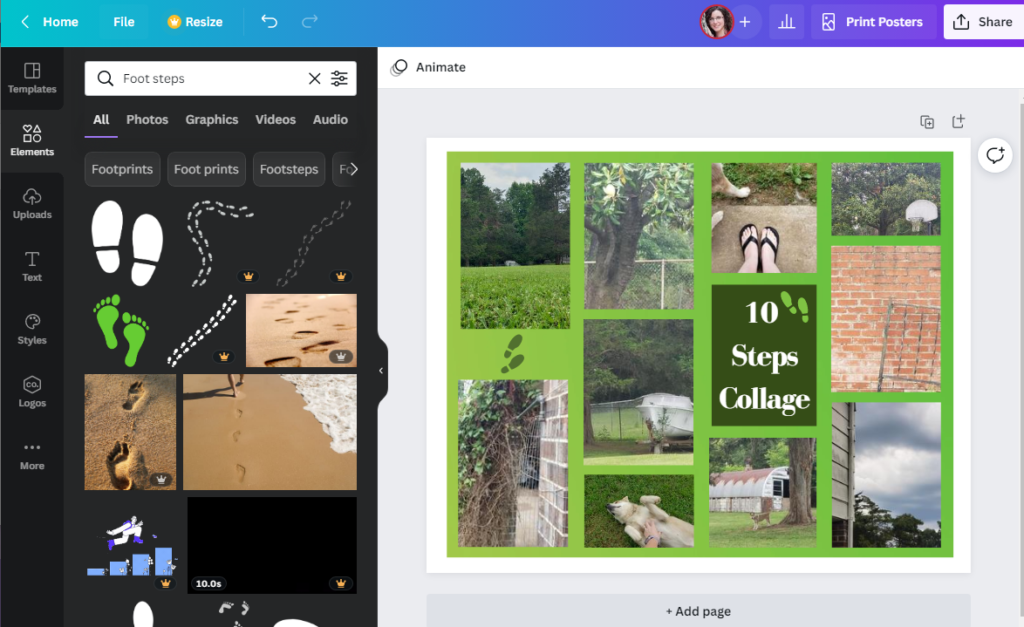
- When you are finished, click on the Share box in the top right corner and either download it or share it on social media